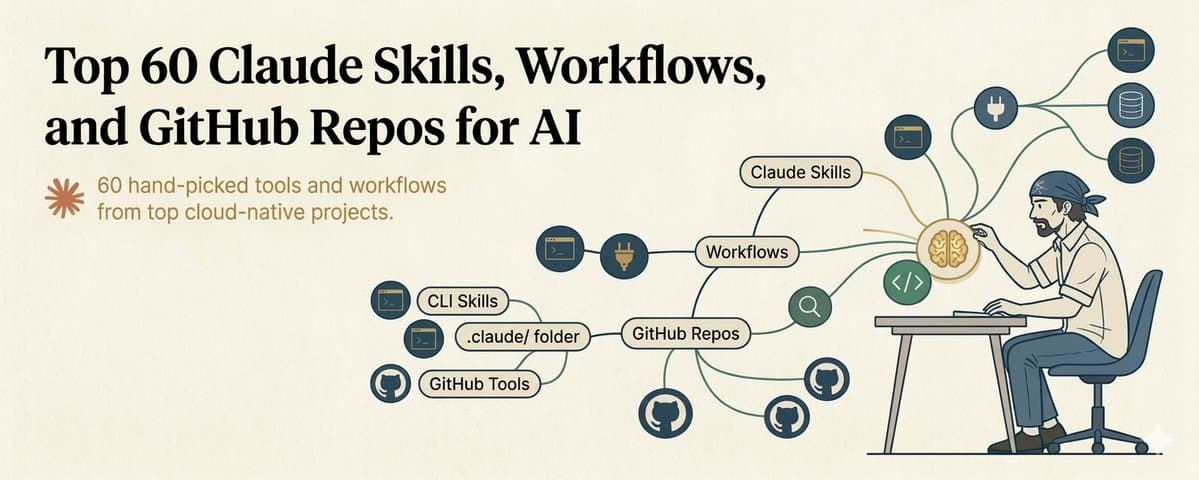

I spent 100+ hours testing AI tools so you do not have to.
Save this :)
The AI tooling landscape in 2026 is overwhelming. New frameworks every week. New agents every day. New repos trending on GitHub every morning.
Most of them are hype. Some of them are genuinely useful. A few of them will fundamentally change how you work.
I filtered the noise. Here are the 60 tools that actually matter right now - organized by category, tested personally, with honest notes on what each one is actually good for.
Bookmark this. You will come back to it.
Part 1: AI Coding Agents & IDEs 🛠️
These are the tools that let AI write, review, and manage code on your behalf. The ones that actually work in real workflows, not just demos.
01. Claude Code:
Anthropic's command line coding agent. Reads files, writes code, runs tests, operates directly in your local environment. The gold standard for AI-assisted development when you want full control.
🔗 https://docs.anthropic.com/en/docs/claude-code
02. Cursor:
AI-first code editor built on VS Code. Inline completions, chat with your codebase, multi-file editing. The best editor for developers who want AI integrated into their existing workflow.
🔗 https://www.cursor.com
03. Codex CLI:
OpenAI's terminal coding agent. Takes natural language instructions, reads your codebase, writes and executes code. Strong at multi-step implementation tasks.
🔗 https://github.com/openai/codex
04. Windsurf:
AI coding IDE by Codeium. Cascade agent for multi-file editing, deep codebase understanding, and flow-state coding. Growing fast.
🔗 https://codeium.com/windsurf
05. Superpowers:
20+ battle-tested Claude Code skills. TDD, debugging, plan-to-execute pipelines. 96,000+ stars on GitHub. If you use Claude Code, install this first.
🔗 https://github.com/obra/superpowers
06. Spec Kit (GitHub):
Spec-driven development. Write specifications, AI generates code from them. Forces you to think before you build. 50,000+ stars.
🔗 https://github.com/github/spec-kit
07. Aider:
AI pair programming in your terminal. Works with any LLM. Strong at working with existing codebases. 30,000+ stars.
🔗 https://github.com/paul-gauthier/aider
Part 2: Agent Frameworks 🤖
Build autonomous systems that think, act, and iterate.
08. OpenClaw:
The viral open-source AI agent. Persistent, multi-channel (WhatsApp, Telegram, Discord), writes its own skills. 210,000+ stars and growing fast. The most accessible entry point for personal AI agents.
🔗 https://github.com/openclaw/openclaw
09. LangGraph:
Multi-agent orchestration as code. Build agents as graphs with branching logic, human-in-the-loop, and persistent state. 26,000+ stars.
🔗 https://github.com/langchain-ai/langgraph
10. CrewAI:
Multi-agent framework with roles, goals, and backstories. Each agent has a defined persona and responsibility. Good for team-like workflows.
🔗 https://github.com/crewAIInc/crewAI
11. AutoGPT:
Full autonomous agent platform for long-running tasks. The OG agent framework. Matured significantly since early days.
🔗 https://github.com/Significant-Gravitas/AutoGPT
12. Dify:
Open-source LLM app builder. Combines workflows, RAG, agents, and model management in one platform. Good for non-developers building AI apps.
🔗 https://github.com/langgenius/dify
13. OWL:
Multi-agent cooperation framework. Tops the GAIA benchmark for agent coordination. Cutting edge research turned into usable code.
🔗 https://github.com/camel-ai/owl
14. CopilotKit:
Embed AI copilots directly into React applications. Ship AI features in your product, not just your workflow.
🔗 https://github.com/CopilotKit/CopilotKit
15. pydantic-ai:
Type-safe agent framework built on Pydantic. For Python developers who want structured, validated agent outputs.
🔗 https://github.com/pydantic/pydantic-ai
Part 3: MCP Servers & Tool Integration 🔗
MCP (Model Context Protocol) gives AI access to the outside world. Skills teach it HOW. MCP gives it ACCESS.
16. Tavily:
Search engine built for AI agents. Not blue links - clean, structured, LLM-ready data. Four tools: search, extract, crawl, map. Connects as remote MCP in one minute.
🔗 https://github.com/tavily-ai/tavily-mcp
17. Context7:
Injects up-to-date library documentation into your LLM's context. No more hallucinated APIs or deprecated methods. Add "use context7" to your prompt and it pulls current docs. Supports thousands of libraries.
🔗 https://github.com/upstash/context7
18. Task Master AI:
Your AI's project manager. Feed it a PRD and it generates structured tasks with dependencies. Claude executes them one by one. Turns chaotic sessions into organized pipelines.
🔗 https://github.com/eyaltoledano/claude-task-master
19. MCP Playwright:
Browser automation for LLMs. Control a real browser through natural language. Testing, scraping, interaction.
🔗 https://github.com/executeautomation/mcp-playwright
20. fastmcp:
Build MCP servers in minimal Python. The fastest way to create custom tool integrations for Claude or any MCP-compatible model.
🔗 https://github.com/jlowin/fastmcp
21. markdownify-mcp:
Convert PDFs, images, and audio into Markdown. Feed any document type into your AI workflow.
🔗 https://github.com/zcaceres/markdownify-mcp
22. MCPHub:
Manage multiple MCP servers via HTTP. One dashboard for all your tool connections.
🔗 https://github.com/samanhappy/mcphub
Part 4: Claude Skills (Top Picks) 🧠
Skills teach Claude specialized workflows. There are 80,000+ community skills. These are the ones worth installing.
23. PDF Processing (Official):
Read, extract tables, fill forms, merge and split PDFs. The highest-utility skill for knowledge workers.
🔗 https://github.com/anthropics/skills/tree/main/skills/pdf
24. Frontend Design (Official): Build real design systems, bold typography, production-grade UI. Escape the "AI slop" aesthetic. 277,000+ installs.
🔗 https://github.com/anthropics/skills/tree/main/skills/frontend-design
25. Skill Creator (Official):
The meta-skill. Describe a workflow in plain English and get a complete SKILL.md back in five minutes. Build new skills without writing any configuration.
🔗 https://github.com/anthropics/skills/tree/main/skills/skill-creator
26. Marketing Skills by Corey Haines:
20+ skills covering CRO, copywriting, SEO, email sequences, growth strategy. Everything a marketing team needs in skill form.
🔗 https://github.com/coreyhaines31/marketingskills
27. Claude SEO:
Full-site audits, schema validation, keyword analysis. 12 sub-skills covering the complete SEO workflow.
🔗 https://github.com/AgriciDaniel/claude-seo
28. Obsidian Skills:
Built by Obsidian's CEO. Auto-tagging, auto-linking, vault-native operations. If you use Obsidian, this is essential.
🔗 https://github.com/kepano/obsidian-skills
29. Context Optimization:
Reduce token costs and improve KV-cache efficiency. Makes expensive API workflows significantly cheaper. 13,900+ stars.
🔗 https://github.com/muratcankoylan/agent-skills-for-context-engineering
30. Deep Research Skill:
8-phase research with auto-continuation. For when you need Claude to go deep on a topic, not just skim the surface.
🔗 https://github.com/199-biotechnologies/claude-deep-research-skill
Part 5: Local AI & Model Running 🖥️
Run models on your own hardware. Privacy, speed, zero API costs.
31. Ollama:
Run open-source LLMs locally with one terminal command. Supports Llama, Mistral, Gemma, and dozens more. The fastest path from zero to local AI.
🔗 https://github.com/ollama/ollama
32. Open WebUI:
Self-hosted ChatGPT-like interface. Clean, fast, full-featured. Pairs perfectly with Ollama for a private AI setup.
🔗 https://github.com/open-webui/open-webui
33. LlamaFile:
Package an entire LLM as a single executable file. Zero dependencies. Download and run. Absurdly simple.
🔗 https://github.com/Mozilla-Ocho/llamafile
34. Unsloth:
Fine-tune models 2x faster with 70% less memory. If you need a custom model trained on your data, start here.
🔗 https://github.com/unslothai/unsloth
35. vLLM:
High-throughput inference engine. 2 to 4x faster than naive serving. The standard for production deployment of open-source models.
🔗 https://github.com/vllm-project/vllm
Part 6: Workflow & Automation ⚡
Connect AI to your existing tools and processes.
36. n8n:
Open-source workflow automation with 400+ integrations and AI nodes. Self-hostable. The best visual builder for AI-powered automations.
🔗 https://github.com/n8n-io/n8n
37. Langflow:
Visual drag-and-drop for agent pipelines. 140,000+ stars. Build complex agent workflows without writing code.
🔗 https://github.com/langflow-ai/langflow
38. Huginn:
Self-hosted web agents for monitoring, alerts, and data collection. Privacy-first automation that runs on your server.
🔗 https://github.com/huginn/huginn
39. DSPy:
Program (not prompt) foundation models. Stanford research turned framework. For when prompting is not deterministic enough.
🔗 https://github.com/stanfordnlp/dspy
40. Temporal:
Durable workflow engine for long-running processes. When your automation needs to survive crashes, retries, and timeouts.
🔗 https://github.com/temporalio/temporal
Part 7: Search, Data & RAG 🔍
Get information into and out of AI systems.
41. GPT Researcher:
Autonomous research agent that produces compiled reports. Give it a topic, get back a thorough analysis with sources.
🔗 https://github.com/assafelovic/gpt-researcher
42. Firecrawl:
Turn any website into LLM-ready data. Web scraping designed specifically for AI pipelines.
🔗 https://github.com/mendableai/firecrawl
43. Vanna AI:
Natural language to SQL. Ask questions in English, get database queries back. For anyone who needs data from databases without writing SQL.
🔗 https://github.com/vanna-ai/vanna
44. Instructor:
Get structured JSON outputs from any LLM using Pydantic models. Works with OpenAI, Anthropic, Google, and 15+ providers. What production AI engineers actually use.
🔗 https://python.useinstructor.com
45. Chroma:
Open-source vector database. The simplest way to add semantic search and long-term memory to your AI applications.
🔗 https://github.com/chroma-core/chroma
46. dlt:
LLM-native data pipelines from 5,000+ sources. Get data from anywhere into your AI workflow.
🔗 https://github.com/dlt-hub/dlt
47. ExtractThinker:
ORM for document intelligence. Extract structured data from any document type.
🔗 https://github.com/enoch3712/ExtractThinker
Part 8: API & Infrastructure 🏗️
The plumbing that makes everything work in production.
48. FastAPI:
The Python web framework for serving AI applications. Exceptional documentation. Pydantic validation built in.
🔗 https://github.com/tiangolo/fastapi
49. Portkey Gateway:
Route requests to 250+ LLMs through one API. Switch models without changing code.
🔗 https://github.com/Portkey-AI/gateway
50. OmniRoute:
API proxy for 44+ AI providers. Load balancing, fallbacks, and cost optimization.
🔗 https://github.com/diegosouzapw/OmniRoute
51. lmnr:
Trace and evaluate agent behavior. See exactly what your agents are doing and measure whether they are doing it well.
🔗 https://github.com/lmnr-ai/lmnr
52. Codebase Memory MCP:
Convert your codebase into a persistent knowledge graph. Claude remembers your entire project structure across sessions.
🔗 https://github.com/DeusData/codebase-memory-mcp
Part 9: Curated Collections & Learning 📚
Where to find more and keep learning.
53. Awesome Claude Skills:
The best curated skill list. 22,000+ stars. Start here when looking for new skills to install.
🔗 https://github.com/travisvn/awesome-claude-skills
54. Anthropic Skills Repo:
Official reference implementations from Anthropic. The gold standard for how skills should be built.
🔗 https://github.com/anthropics/skills
55. Awesome Agents:
100+ open-source agent tools in one curated list.
🔗 https://github.com/kyrolabs/awesome-agents
56. PromptingGuide:
Comprehensive prompt engineering reference covering every technique from basics to advanced agent prompting.
🔗 https://www.promptingguide.ai
57. Anthropic Prompt Engineering Tutorial:
9 chapters of hands-on exercises with Jupyter notebooks. The best structured way to learn prompting.
🔗 https://github.com/anthropics/prompt-eng-interactive-tutorial
58. SkillsMP:
Marketplace with 80,000+ community skills. The largest catalog for discovering Claude skills.
🔗 https://skillsmp.com
59. MAGI//ARCHIVE:
Daily feed of fresh AI repos. Stay on top of what is shipping.
🔗 https://tom-doerr.github.io/repo_posts/
60. Anthropic Official Docs:
Covers the API, prompting best practices, tool use, agents, and everything else. Read this cover to cover before building anything serious.
🔗 https://docs.anthropic.com
How to Actually Use This List
Do not try to install all 60 tools at once. That is a recipe for overwhelm and wasted time.
Here is the order I recommend:
If you are a developer:
Start with Claude Code (01) + Superpowers (05) + Context7 (17) + Tavily (16). This gives you a powerful AI coding setup with search and documentation access.
If you are a creator or knowledge worker:
Start with OpenClaw (08) + Obsidian Skills (28) + PDF Processing (23) + Frontend Design (24). This gives you an AI assistant with file management, document processing, and content creation capabilities.
If you are building a product:
Start with FastAPI (48) + Instructor (44) + Chroma (45) + LangGraph (09). This gives you the backend framework, structured outputs, memory, and agent orchestration for a production AI application.
If you want to learn:
Start with the Anthropic Tutorial (57) + PromptingGuide (56) + Anthropic Docs (60). Build the foundation before you stack tools.
Pick one path. Go deep. Add more tools as your needs grow.
TL;DR
Skills = teach AI HOW to do things better. MCP = give AI ACCESS to external tools and data. Repos = the open-source engines powering it all.
Combine all three and you have an AI workflow that is genuinely powerful, not just impressive in demos.
That is it. 60 tools. Now go build something.
This list took me a long time to compile - testing tools, reading docs, filtering out the hype from the useful. If it saved you time, you know what to do.
I post stuff like this regularly - AI tools, workflows, techniques, and things I actually use. No fluff, no hype, just what works.
*Follow *@eng_khairallah1 *so you do not miss the next one.*
hope this was useful for you, Khairallah ❤️